
Read the diagram as text
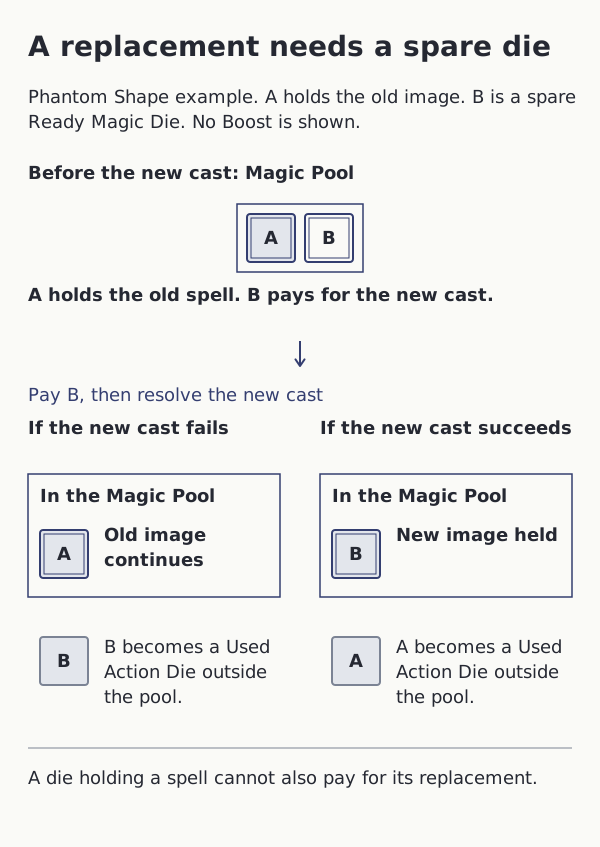
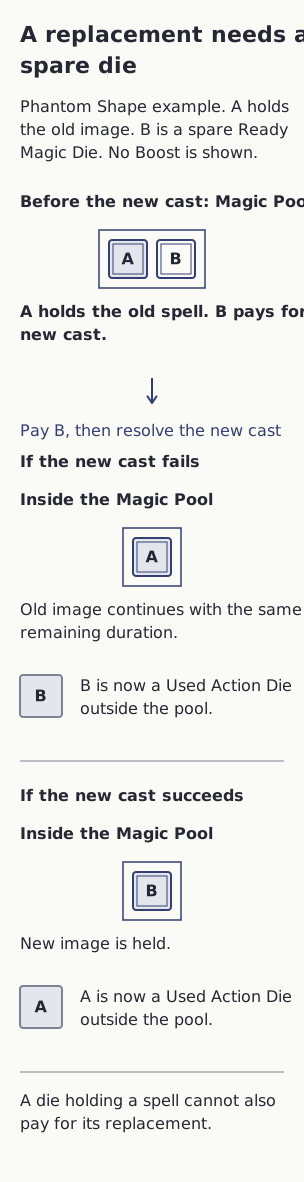
This example follows two selected dice from a larger body while replacing Phantom Shape. Die A holds the old image; die B is a spare Ready Magic Die. No Boost or other dice changes are shown.
- Apply Phantom Shape’s replacement rule. Follow two selected dice: A is committed to the old image, while B is a Ready Magic Die available for the new cast.
- Pay B for the replacement. A cannot cast, Boost or refresh while holding the old spell.
- If the new cast fails, the old spell continues for its unchanged remaining duration. A stays committed inside the pool, and B becomes a Used Action Die outside it.
- If the new cast succeeds, the old spell ends. A becomes a Used Action Die outside the pool, while B stays committed inside it to hold the new image.
Result: A committed die cannot pay for its own replacement. Use a spare Ready Magic Die; the failed new cast does not restart the old duration.
- Each branch retains one committed Magic Die and no Ready Magic Dice among these two selected dice. Other body dice are omitted.
- Trance continues while any committed Magic Dice remain. Normal requirements and costs still apply; any Boost is paid and spent normally.
- Follow each spell’s own replacement rule. The old effect’s continuation on failure is shown here for Phantom Shape.
- If resolution has already Wounded or otherwise moved a die, keep that state instead of moving it twice.