Read the diagram as text
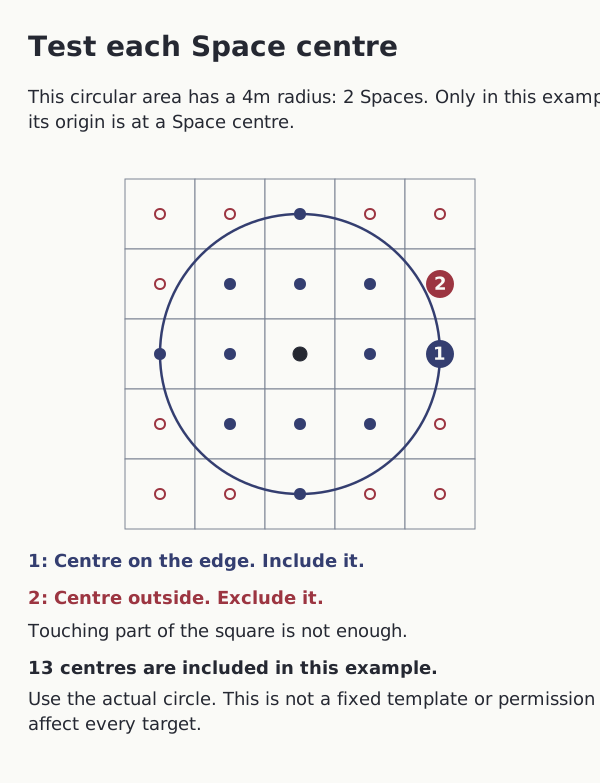
Example: a written circular area has a 4m radius. In Tactical Mode that radius is 2 Spaces. Here only, the chosen point is at a Space centre.
- Keep the effect’s written circular shape and 4m radius. Convert that radius to two Spaces, then draw the actual circle from the chosen point.
- Test each Space centre. A centre inside the circle or exactly on its boundary is included.
- A centre outside the circle is excluded even if the circle overlaps an edge or corner of that square.
- The chosen point is at one Space centre for this example. Its thirteen included centres are a consequence of this placement, not a required template.
Result: A touched square with its centre outside is excluded. A centre on the boundary is included.
- The effect keeps its own origin, shape, extent, direction and eligible targets. Inclusion does not override barriers, cover, line of effect or target requirements.
- Do not replace a circle with a square based on shortest grid-step range. The general rule does not require the chosen point to be a Space centre.